
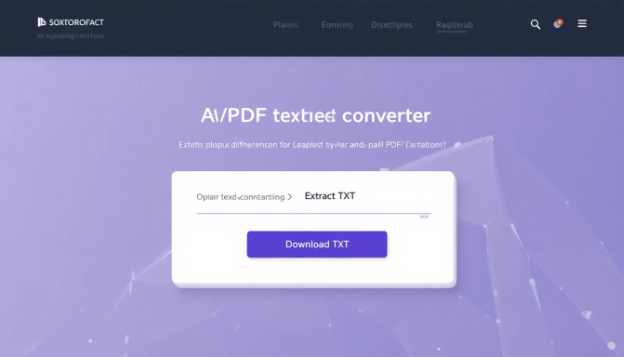
What Is a PDF to Text Converter?
Why Use Our PDF Text Extractor?
- 100% Free
 No Registration Required
 - Client-Side Processing (Privacy First)
- Fast & Lightweight
- Works on Mobile & Desktop
Our tool is designed for users who want a simple, secure, and effective way to convert PDF to text online.
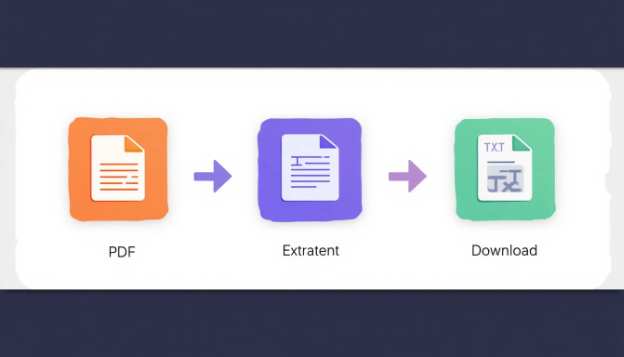
How to Convert PDF to Text Online (Step-by-Step)
Upload Your PDF File
Select any PDF document from your device.Extract Text Instantly
The tool reads each page and extracts readable text.Preview Extracted Content
Review the extracted text directly in the editor.Download as TXT File
Save the text file instantly to your device.
No waiting. No watermark. No limitations.
Key Features & Benefits
This converter is easy to use and is suitable for beginners. To convert an image to its corresponding text, you simply:
1) Go to aitoolkitcenter.com;
2) Click on “Image to Text Converter”;
3) Upload the images you wish to convert (up to 5 at once);
4) Click on “Convert”;
5) Copy and paste, or download your converted text, straight from the conversion page.
In just a matter of moments, the converter reads your image and produces the text for you to use immediately!
Who Can Use This Tool?
- Students who have extracted notes from PDFs
- Bloggers and writers who reuse PDF content
- Researchers who converted documents into text
- Marketers who re-purposed reports
- Developers who require clean text output
Privacy & Security
Your Privacy is Our Priority: All File Conversions Using This PDF To Text Converter Occur AT THE TIME OF USE AND Are Performed 100% Through Your Browser. NO FILES Are Uploaded TO, Stored, OR Shared With Any Third-Party Server. AFTER You Close This Page, The Data Associated with Your PDF File Remains ON Your Computer.
FAQ questions
Q1: Am I able to use this PDF to Text Converter tool without charge?
A1: Yes, the tool is 100% Free! There are no limitations or hidden charges associated with using our tool.
Q2: Will my uploaded PDF files be stored on a server?
A2: No, the conversion of your PDF documents takes place within your internet browser, using only JavaScript (On the client-side).
Q3: May I use the PDF to Text Converter tool on my mobile phone?
A3: Absolutely! This tool can be used on any current mobile or personal computer web browser.
Q4: Which file type will I receive once my PDF has been converted to text format?
A4: Once you convert your PDF document to text format, you will download the result as a .txt file.
Q5: Is it safe to use the PDF to Text Converter tool for Private or protected Documents?
A5: Yes! Because your document will never leave your computer, you will be safe to use this converter for any private PDF documents!