
Free Base64 to Image Converter Online – Decode & Encode Images Easily | aitoolkitcenter
Decode Base64 images instantly • Preview & download
Our Tools
Base64 to Image Converter – Free Base64 Decode & Encode Tool Online | aitoolkitcenter
Base64 to Image Converter is a free online tool that helps you convert Base64 code into images and encode images back to Base64 quickly and easily using aitoolkitcenter.
The Base64 to image converter is a useful tool for developers, designers, and anyone working with digital images. Having access to tools to quickly convert Base64 encoded image data into an image you can actually use is essential. aitoolkitcenter offers a powerful, free tool that makes it easy to decode and encode images created in
Base64 format so you can access your images right away without any technical frustration.
Our online Base64 to image converter is designed for a global audience, and we have optimized it for maximum compatibility across all devices (mobile, desktop, etc.), browsers, and platforms, which is convenient for both novice users and those with advanced technical skills.
Advantages of Using an Online Base64 to Image Converter
- Using a reliable online Base64 to image converter can help you save time and improve the efficiency of your workflow, so we have listed below some of the many advantages of using aitoolkitcenter’s Base64 to image converter
100% Free Online Base64 to Image Converter
Processing for Base64 Decode Images Completed Instantly
Base64 Encode Images Quickly & Easily
No Downloads or Installations Required to Use the Tool
Conversion of Images by Base64 Encoding is Securely Completed with No Data Leave
Fully Optimized for Mobile & Desktop Devices
Simple, Clean, & Easy to Read Interface for Optimal User Experience
Our platform adheres to modern UX and SXO principles, ultimately creating high engagement rates & low bounce rates for users.
At `aitoolkitcenter` we have numerous free features available to anyone who visits our site.
We have the following available without any registration or hidden fees:
1. Ability to take any version of a base 64 image and instantly convert it back into an image
2. Live preview of the image being decoded
3. Ability to take any version of a base 64 image and encode it into either a PNG or JPG file
4. High-quality downloadable images
5. No registration is required.
Base64 to Image Converter Defined
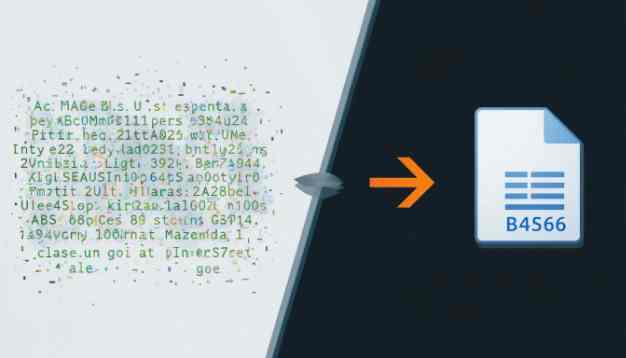
Base64 is a method of encoding binary image data as text. Conversion of a base64 string back to a proper format involves taking the encoded image back to the format which may be either PNG or JPG as is recognized by the operating system.
Similarly, taking PNG or JPG images and encoding them to Base64 makes the images easier to save, send, upload and embed within web applications. aitoolkitcenter makes this conversion process easy for all users.
Importance of Base64 Decode Image and Encode Image
Using base64 images, you can.
- Embed images directly within the HTML or CSS
- Make the storing, and transmitting of images using APIs and other data functions far easier
- Make the images compatible across multiple platforms
- Reduce the need to make requests for images from an external location
- Transfer image data securely and consistently.
How to Use the Base64 to Image Converter
Step-by-Step Instructions
- Go to the base64 to image converter section of aitoolkitcenter.com.
- Paste your Base64 string into the conversion tool’s input line.
- Click the “Convert” button to decode your Base64 image.
- Review the preview and download your new image.

Why Should You Use aitoolkitcenter for Online Conversion of Base64 Images?
The Advantages of Using aitoolkitcenter
- Aitoolkitcenter is optimized for the best way to use or create content on a global scale with our AI-friendly, search engine optimized (SEO) website architecture.
- The way our website is structured allows for search engines and artificial intelligence (AI) tools to find relevant content quickly and easily.
- Our user experience has been designed to focus on users for the best user experience possible (SXO) and constantly updated in accordance with Google Core Updates.
Frequently Asked Questions (FAQ’s)
What is a Base64 to image converter?
A Base64 to image converter converts the Base64 encoded text to PNG, JPG or other image format files that are compatible with most devices.
Is the Base64 tool on aitoolkitcenter free?
Yes. The Base64 to image converter on aitoolkitcenter is completely free to use without any limitations.
Can I create Base64 encoded images online?
Yes. You can easily create Base64 encoded images online using the Base64 image tool on aitoolkitcenter.
Is my data safe with aitoolkitcenter?
Yes. There is no tracking or storing of Base64 Data or images at aitoolkitcenter.
Can this tool be used by anyone, anywhere in the world?
Yes. The Base64 image conversion tool at aitoolkitcenter can be used anywhere in the world on any modern device.
Final Thoughts
If you are looking for a reliable, secure and free Base64 to image converter, look no further than aitoolkitcenter. With aitoolkitcenter, you will have access to a tool that can be used globally and is designed to provide maximum benefit to users and the search engines and AI tools that will access your content.