
Watermark Image Online Free
Add text or logo watermark easily
Our Tools
Watermark Image Online Free – Add Text or Logo Instantly
Using free tools that allow you to watermark your images online will help you protect your photographs by putting a text or logo watermark on them without requiring any technical skills or software downloads. You can quickly upload a photo to aitoolkitcenter and choose from a wide variety of options to create a personalised watermark using their easy-to-use interface, including adding your own custom text or a logo, adjusting the transparency level, selecting from various fonts and colours, and positioning the watermark wherever you’d like on the photo—all from within your web browser
This free online tool was created especially for content creators, bloggers, business owners and marketers that are looking for a quick, safe and simple way to watermark their digital images
Introduction
It’s crucial to protect your images in today’s modern digital world. If you are a content producer, business owner, or marketer, using a watermark will protect your images from unauthorized use (or copy). You can use our watermark image online free tool at aitoolkitcenter to add text or logos to your images directly in your web browser without needing any additional software or downloads. You’ll do everything on your local device, giving you complete privacy, speed, and control over your images.
Add Watermark to Photo Online Free – Secure Image Watermark Tool
The website aitoolkitcenter gives users access to an online portal to add their logo or text-based watermark into photos to provide instant protection against unauthorized usage of images. Users can upload their photos, add a logo or custom text, modify the opacity of the watermark, change the font and colour of the watermark, position the watermark anywhere, and in a matter of seconds after confirming that everything has been added properly, be able to download the result—all without any membership fee, a required software download, or restrictions on the max number of watermark applications per image file.
Benefits of Using an Image Watermarking Tool
There are many great ways to use an image watermark tool. Examples include:
Free online watermark tool, no software download required
Add either text or a graphic as a watermark image
- Controls available on watermark placement, size, and transparency
- Output options in PNG and JPG formats
- Compatible with Desktop and Mobile
- No registration required, No limit on total number of Watermarks allowed – 100% free use
- Watermarks are processed client-side and are not stored anywhere.
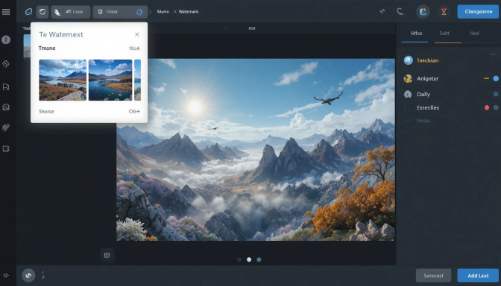
What You Get For Free
- Upload an image
- Add a watermark with either text or logo
- Change the opacity of the watermark with an opacity slider
- Reposition and resize the watermark anywhere on the image
- View changes to the watermark in real-time.
- Download the watermarked version immediately.

What’s a Watermark Image Tool?
Watermark image tools allow users to add text and/or logos to their images in order to display ownership and branding. You can use these tools for free to add your own watermark images using a web application that employs a browser-based canvas system. Many users have used this watermark image tool without installing anything on their computers, such as desktop software or mobile device applications.

Why it is Important To Add Watermarks to an Image
Adding watermarks to your images can help:
- Stop people from stealing your images or using them without permission.
- Keeping your branding consistent on all of your shared visuals.
- Safeguarding all of the creative and professional work you produce.
- Give credit to your photos on social platforms and websites.
When you use an online tool to add a watermark, you can ensure that your image is easily identifiable, no matter how many times it gets shared on various platforms.
What Makes Aitoolkitcenter the Smart Choice?
- With our Easy and Quick Watermark Image Free Solutions
- All Your Data is Safe & Secure, so We Never Save Your Photos
- Free Watermark Image Downloads in High-Quality – PNG & JPG Format
- Easy for the Beginner … We Provide Beginner-Friendly Interface
- Trusted Watermark Tool On-Line
If You Are Looking to Put a Watermark On Images for Branding or Protecting That Image, Aitoolkitcenter Makes it Simple!
Frequently Asked Questions FAQs
1. Are there any online tools that allow you to add watermarks to your photos free of charge?
The aitoolkitcenter offers a free online tool for adding watermark to photos without the need for signing up or making any payment.
2. Is it possible to use both a logo and text as a watermark with this tool?
The application can provide both a logo and/or text watermark on the image and has the capability to change the font, colour, and opacity.
3. Is this watermark tool secure for my photos?
All image processing occurs through your web browser. No images are uploaded to or stored on our servers.
4. Can we save our watermarked image as a PNG file?
Yes, you can save your watermark image in PNG or JPG format.
5. Is this watermark tool available to use on mobile phones?
Yes, our application supports all mobile devices and is fully functional on any Internet-enabled device.