
Convert to WebP — Free & Instant
Browser-only · Nothing uploaded to servers · Batch up to 10 files
Free WebP Converter — Convert JPG, PNG & PDF to WebP Online
If your images are slowing down your website, switching to WebP can make a big difference. This webp converter tool helps you reduce file size while keeping image quality almost intact.
Whether you want to convert image to webp, optimize blog images, or improve page speed, this tool makes everything simple and fast. Use our free image to webp converter to compress image to webp and improve page speed.
Quickly convert image to webp or reduce image size webp with one click — no signup, no watermarks, completely free.
What is Image to WebP Converter Online and WebP Format?
WebP is a modern image format developed by Google.It helps reduce image file size without affecting quality.
In simple terms, it stores images in a smaller size.
At the same time, it keeps them visually clear.
- Smaller file size than JPG and PNG
- Supports transparency like PNG
- Maintains good image quality
Key Features of WebP Format
- Smaller file size compared to JPG and PNG
- Supports transparency like PNG
- Maintains high image quality
However, most images are still uploaded in JPG or PNG format.
That’s where a webp converter tool becomes useful.
For deeper technical understanding, you can refer to Google’s official WebP documentation .
How to Convert Image to WebP Online Free
To convert image to webp online free, follow these simple steps. No technical skills required.
- Upload your image — Choose JPG, PNG, or PDF file from your device
- Click on convert — Our webp converter online free tool starts processing instantly
- Wait a few seconds — Compression completes automatically
- Download your WebP image — Save your optimized file
This tool works as a PNG to webp converter, JPG to webp converter online, and PDF to webp converter — all in one place.
Using an image to webp online tool saves time and avoids installing software. Always upload a clear image to get better output quality. In addition, check the final image before downloading to ensure quality.
Free JPG to WebP Converter — Best WebP Converter Online
This webp converter online free tool works as a jpg to webp converter and png to webp converterMost users want to convert JPG images because they are commonly used in cameras and mobile devices.With this tool, you can easily use it as a jpg to webp converter without any limitations.
- No signup required
- Completely free to use
- Works on mobile and desktop
Large image files can slow down your website if not optimized properly.
As a result, using WebP format helps improve loading speed and user experience.
PNG to WebP Converter
You can also use this tool as a png to webp converter.It helps you:
- Convert PNG images easily
- Maintain transparency
- Optimize images for web use
Compress Image to WebP and Reduce File Size Online
How to Reduce Image Size WebP in Seconds
Here's the best part — you can reduce image size webp in just a few seconds using our tool. No complicated settings, no waiting around. Just upload your image, hit convert, and you're done.
Use our tool to compress image to webp and reduce image size webp without losing quality.
One of the biggest benefits of using a WebP converter is compression. When you compress image to webp, the file size drops significantly — but your image still looks great.
- Faster website loading
- Better user experience
- Improved SEO performance
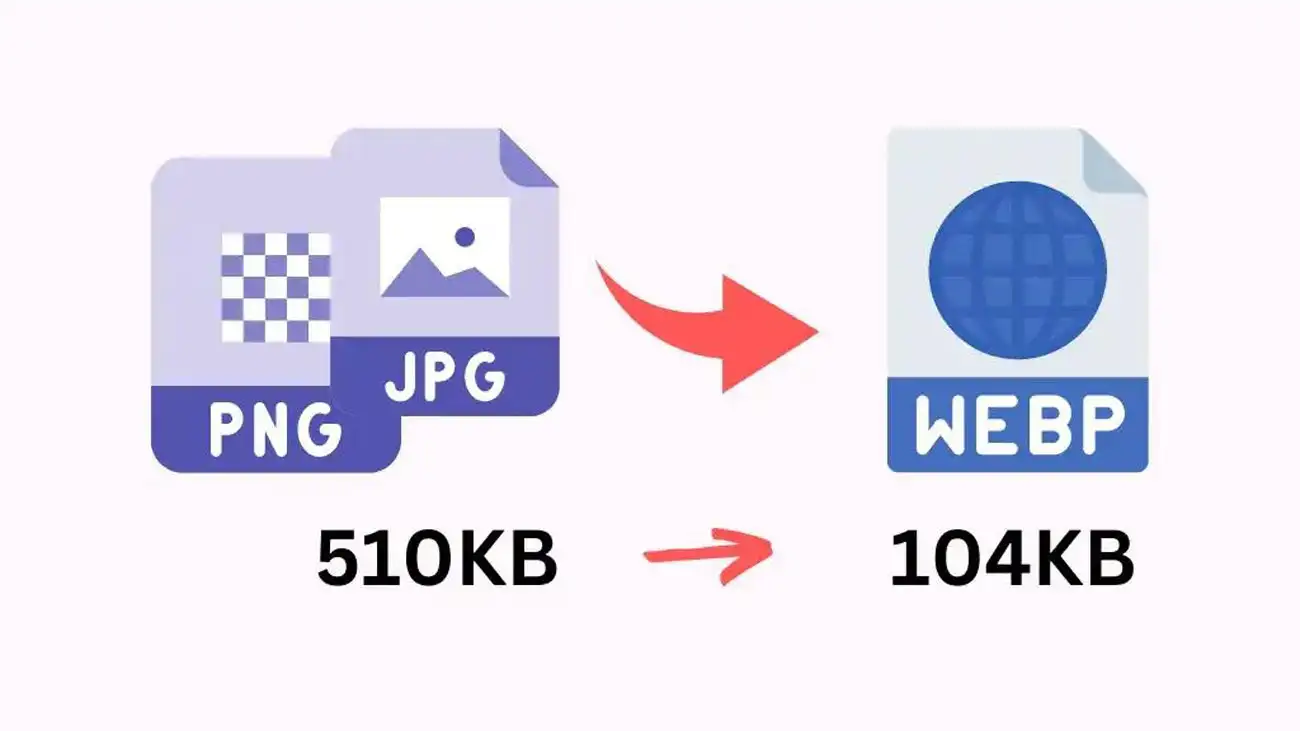
Using WebP is one of the easiest ways to reduce image size webp for better performance. For example, a large PNG file can often be reduced by 25-35% just by converting it to WebP — and you'll barely notice any difference in quality.
Why Use WebP Instead of JPG or PNG
Choosing the right format matters for performance. However, WebP offers multiple advantages.
Better Compression Using Image to WebP Converter
WebP provides better compression compared to JPG. As a result, your images load faster.
Supports Transparency
In addition, WebP supports transparency just like PNG, making it useful for logos and graphics.
Improves Website Speed
Therefore, using a webp converter tool improves page speed and SEO performance.
Convert Images to WebP Online for Free
You can convert images to webp online without installing any software. This makes the process fast and convenient.
Best Image to WebP Converter for Fast Conversion
This tool works as the best image to webp converter because it is fast, simple, and free to use.
This makes the process fast and convenient.
In addition, using a webp converter online free tool saves time and improves efficiency.
Therefore, switching to WebP is a smart choice for modern websites.
Frequently Asked Questions (FAQs)
Is Image to WebP Converter Safe?
Yes, this tool processes files securely and does not store your images. Your privacy is fully protected.
What is the best image to WebP converter?
A fast and simple tool that reduces file size without losing quality is considered the best option. Our tool does exactly that — and it's completely free.
Can I convert PNG to WebP?
Yes, you can easily convert PNG and JPG images using this tool. Just upload and click convert.
Will image quality reduce after conversion?
In most cases, quality remains almost the same when compression is optimized properly. We use smart compression to keep your images looking great.
Is this tool free to use?
Yes, this is a completely free webp converter available online. No hidden fees, no credit card required.
What is the best free webp converter?
Our webp converter online free tool supports JPG, PNG, and PDF without signup, watermarks, or annoying limits.
Can I use this as a PNG to webp converter?
Yes — simply upload your PNG file and download it as WebP while keeping transparency intact.
Does this compress image to webp without quality loss?
Yes, our tool optimizes compression to reduce image size webp while maintaining visual clarity. You get smaller files, same beautiful images.
Is this a safe webp converter online free tool?
Yes, files are processed locally in your browser and are never stored on our servers. Your images stay yours.
Try Our Other Free Image Tools
If you found this image to webp converter useful, you may also like our other free tools for image optimization and conversion.- Image Compressor Tool – Reduce image size without losing quality
- Image Crop Tool – Crop images easily for social media and websites
- Image to Text Converter – Extract text from images instantly
- Base64 to Image Converter – Convert Base64 code into images
- Image to Base64 Converter – Encode images into Base64 format
- Rotate Image Tool – Rotate images online quickly